UniFi vs Omada vs Nebula: Which Hotel WiFi System to Choose in 2026?
A practical comparison of UniFi, Omada and Nebula for hotels — costs, guest management, captive portal and ROI. Which WiFi platform fits your property?
A practical comparison of the three most popular networking platforms for hotels — analyzed from the perspective of costs, guest management, and Return on Investment (ROI).
Choosing a WiFi system is one of the most critical technological decisions a hotel can make. It is not just about megabits per second or the number of antennas; it is about whether a guest connects to the network within 15 seconds of checking in or calls the reception to complain. And whether you, as the owner or property manager, will spend more on maintaining the system next year than on the hardware itself.
In the hospitality market, a quiet duel is taking place between three major platforms: Ubiquiti UniFi, TP-Link Omada, and Zyxel Nebula. Most online comparisons are technical deep-dives written by IT administrators for IT administrators. We approach this topic differently — from the perspective of a hotelier who wants to know how much it costs, how fast it pays off, and whether the staff can handle it.

Why Hotel WiFi is Not a “Regular Network”
Before jumping into the comparison, it is essential to understand how a hotel network differs from an office or home network.
- High User Turnover: In an office, 50 people connect in the morning and disconnect in the evening. In a hotel, a 70-room property can easily mean 140–200 unique devices daily, each requiring seamless onboarding — and guests do not want to read manuals.
- Seamless Roaming Between Areas: A guest walks from their room to the restaurant, then to the spa, and finally to the lobby. If the WiFi drops connection during transitions between access points, complaints start immediately. Seamless roaming (802.11r/k/v) is a baseline requirement, not a luxury.
- Traffic Segmentation (VLANs): The guest network, the internal staff network, and the property management networks (PMS, IPTV, electronic locks) are completely separate worlds. VLANs are the foundation here.
- Captive Portals and Vouchers: Guests need a frictionless way to authenticate. Room number and surname? A front desk voucher? A QR code on the keycard? The login method directly affects the guest experience and reception workload.
Comparison Table: UniFi vs Omada vs Nebula (2026)
| Criterion | UniFi (Ubiquiti) | Omada (TP-Link) | Nebula (Zyxel) |
|---|---|---|---|
| Cost per AP (WiFi 6/7) | From ~€140–€160 | From ~€80–€115 | From ~€90–€130 |
| Controller / Management | Cloud Key ( | OC200 (~€70) or free self-hosted software | Free Cloud (Base), paid Plus/Pro licenses |
| Deployment Cost (70 rooms) | ~€10,500–€15,000 | ~€6,500–€9,800 | ~€7,500–€11,000 |
| Captive Portal | Advanced, requires 24/7 active controller | Built-in (vouchers, SMS, QR, email) | Cloud-integrated, robust captive portal |
| Guest Portal Usability | Requires IT configuration knowledge | Very simple — printable vouchers from panel | Mobile/QR-driven onboarding |
| Seamless Roaming | 802.11r/k/v — Full support | 802.11r/k/v — Full support | 802.11r/k/v — Full support |
| VLAN (Guest/Staff) | Highly granular firewall rules | Intuitive and fast setup | Managed completely from the cloud |
| Mobile Application | Deep analytics, real-time metrics | Streamlined, quick navigation | Full management via app |
| Ecosystem Expansion | CCTV, Access Control, VoIP | Strictly networking (AP + Switch + Gateway) | Network + Firewalls + 5G Gateways |
| PMS Integration | Via external APIs / Third-party | Via external APIs / Third-party | Via external APIs / Third-party |
| Hardware Warranty | 1 Year (Up to 5 with UI Care) | 5 Years (Business Products) | 2 Years (Limited Lifetime available) |
| Support Quality | Online community & tickets only | Local B2B support channels | Direct vendor engineering support |
| Ideal Property Scale | 50–500+ Rooms / Multi-site | 20–150 Rooms | 10–80 Rooms |
| Estimated ROI | 18–24 Months | 12–18 Months | Fast for boutique/small setups |
Approximate net professional market prices, Q2 2026. Deployment costs include APs, PoE switches, routing, and controller hardware, excluding physical cable installation.
Costs: Who Truly Wins on Price?
TCO — Total Cost of Ownership vs. Upfront Hardware Price
Comparing only access point prices is a classic pitfall. A true hotel WiFi budget consists of hardware, controllers, potential licensing fees, and maintenance.
- TP-Link Omada is the undisputed champion of low TCO. The hardware is highly affordable, the hardware controller (OC200) is a minor one-time cost, and there are no recurring software license fees. For budget-conscious mid-scale hotels, this delivers the fastest ROI.
- Ubiquiti UniFi carries a premium price tag. While there are no recurring software licenses for self-hosted setups, the hardware itself is significantly more expensive. However, for premium properties that can leverage UniFi’s sleek aesthetics and deeper ecosystem (integrated IP CCTV and door access control), the higher initial investment is often justified.
- Zyxel Nebula introduces a hybrid model. The basic tier is free, but advanced enterprise features crucial for high-end hospitality management require a Plus or Pro subscription per device annually. This can shift upfront savings into long-term operational costs if not planned properly.
Conclusion: Omada delivers the lowest TCO — roughly 35–40% less than UniFi and 15–20% less than Nebula at the same property scale.
Management and Usability: IT Experts vs. Reception Staff
UniFi — Powerful, and Geared for IT Professionals
UniFi features a stunning, metrics-heavy user interface. It is perfect if your hotel has an on-site IT manager or works with a dedicated IT partner. The platform offers deep control over the RF environment and granular firewall rules. However, firmware updates require caution, and configuring advanced captive portals requires technical experience.
Omada — The “Set and Forget” Choice
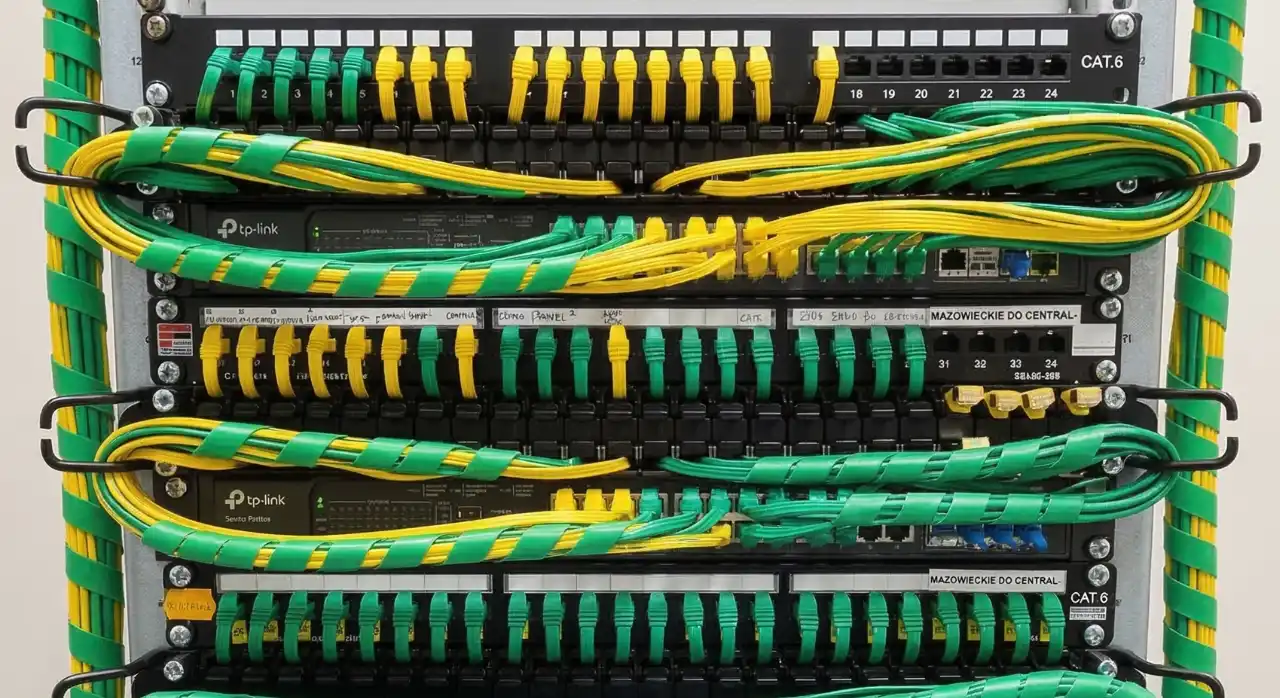
Omada’s interface is clean and exceptionally functional. For hotel operations, it is highly practical. Creating a batch of guest access vouchers with expiration dates takes three clicks. The front desk staff does not need to understand VLANs or channel widths; they just log into a simplified panel and click “Generate Vouchers.” It runs highly stably over long operational periods.
Nebula — Cloud-First and Mobile-Driven
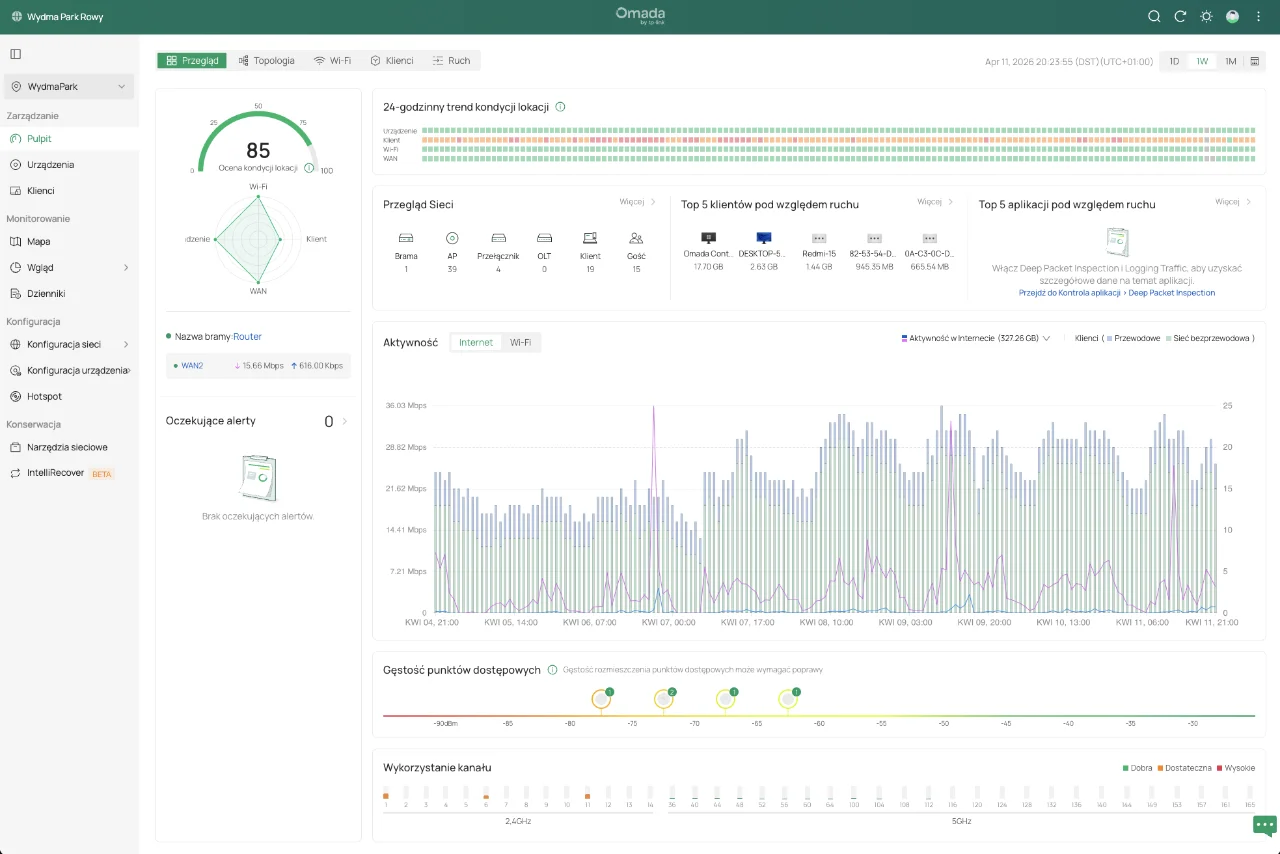
Nebula was designed for effortless cloud management. You can monitor multiple properties, reboot an access point, or authorize a device via a smartphone app while away from the property. Devices are provisioned simply by scanning a QR code. The limitation lies in the free tier, which restricts advanced styling options for your captive portal.
Guest Experience: Maximising Onboarding Speed
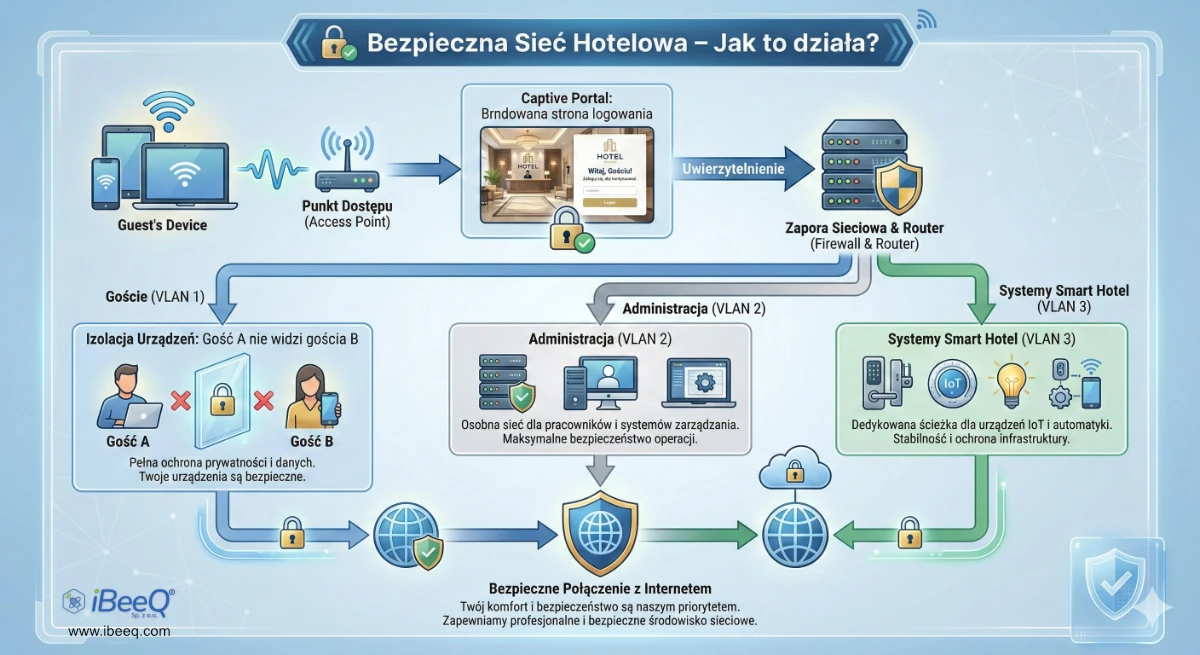
From a guest perspective, only one metric matters: How long does it take to get online after checking in? The benchmark should be under 30 seconds, with zero frustration.
- UniFi allows for completely bespoke, beautifully branded captive portals with custom HTML/CSS. If you want a tailored luxury landing page with integrated promotional videos, UniFi delivers the best visual presentation.
- Omada prioritises operational efficiency. The voucher system works flawlessly out of the box. Guests connect to the SSID, a clean login page appears, they enter their unique code, and they are online. This drastically reduces the volume of guests asking the front desk for internet troubleshooting.
- Nebula emphasises modern onboarding, such as static QR codes placed in hotel rooms or on keycard holders. Guests scan the code with their smartphone and are securely connected instantly, without manual text inputs.
Scalability: Which System Suits Your Hotel Best?
Small Properties (Up to 50 Rooms)
Recommendation: Zyxel Nebula or TP-Link Omada.
Lower entry costs, minimal infrastructure overhead, and simple remote management without requiring specialised IT personnel.
Mid-Scale Hotels (50 to 150 Rooms)
Recommendation: TP-Link Omada.
Represents the sweet spot for budget and reliability. It cleanly handles high user density across multiple floors, offers an easy voucher system for the front desk, and features a 5-year business warranty.
Premium, Large, or Multi-Property Resorts (150+ Rooms)
Recommendation: Ubiquiti UniFi.
When dealing with massive deployments alongside complex multi-VLAN networks (including advanced IPTV systems, automated building management, and high-density conference rooms), UniFi’s robust traffic shaping and unified ecosystem truly shine.
FAQ — Frequently Asked Questions
Does a hotel need a dedicated IT person to manage these systems?
It depends on the platform. TP-Link Omada and Zyxel Nebula are built so that a front desk supervisor or a general maintenance manager can handle daily operations like voucher generation or basic reboots. UniFi requires a higher degree of technical literacy, particularly for initial deployment, secure firewall configuration, and firmware staging.
Do these platforms integrate natively with Hotel PMS systems?
None of these three platforms feature native, out-of-the-box integrations with property management systems (like Opera or Protel). Integration is typically achieved via middleware platforms (such as StayFi, Fydelia, or ANTlabs) that bridge the WiFi captive portal API with the guest database of the PMS.
Are seamless roaming standards supported by UniFi, Omada, and Nebula?
Yes. All three platforms fully support the standard industry protocols: 802.11r, 802.11k, and 802.11v. This ensures that as a guest moves through the hotel — from their room down to the lobby or restaurant — their device automatically hands off to the closest access point without dropping active connections.
What is the estimated Return on Investment (ROI) for a modern hotel WiFi upgrade?
Typically, TP-Link Omada pays off within 12 to 18 months due to lower hardware acquisition costs. Ubiquiti UniFi averages 18 to 24 months. The true ROI is realised through a dramatic decrease in guest complaints at the reception desk and higher overall satisfaction ratings on booking platforms, where reliable WiFi consistently ranks as a top-3 guest requirement.
iBeeQ designs and installs WiFi networks in hotels across Europe. We work with all three platforms and select the right solution for your specific property — not the other way around. Contact us for a free initial consultation.
Planning a hotel technology upgrade?
Our engineers have implemented hotel TV and WiFi systems across hundreds of properties in Europe. Let's talk about your project.
Contact us